Fixes words automatically
After a space, Enter, Tab or punctuation Mova checks the word. If it only makes sense in the other layout, Mova erases it and types it right.
For macOS · English and Ukrainian
Typed «ghbdsn» when you meant «привіт»? After the space Mova spots it, switches the layout and retypes the word. No copying, no retyping, no breaking your flow.
macOS 15 Sequoia or later · version 0.3.0 · signed and notarized by Apple

Mova only looks at the word you just typed, and steps in only when it is sure.
After a space, Enter, Tab or punctuation Mova checks the word. If it only makes sense in the other layout, Mova erases it and types it right.
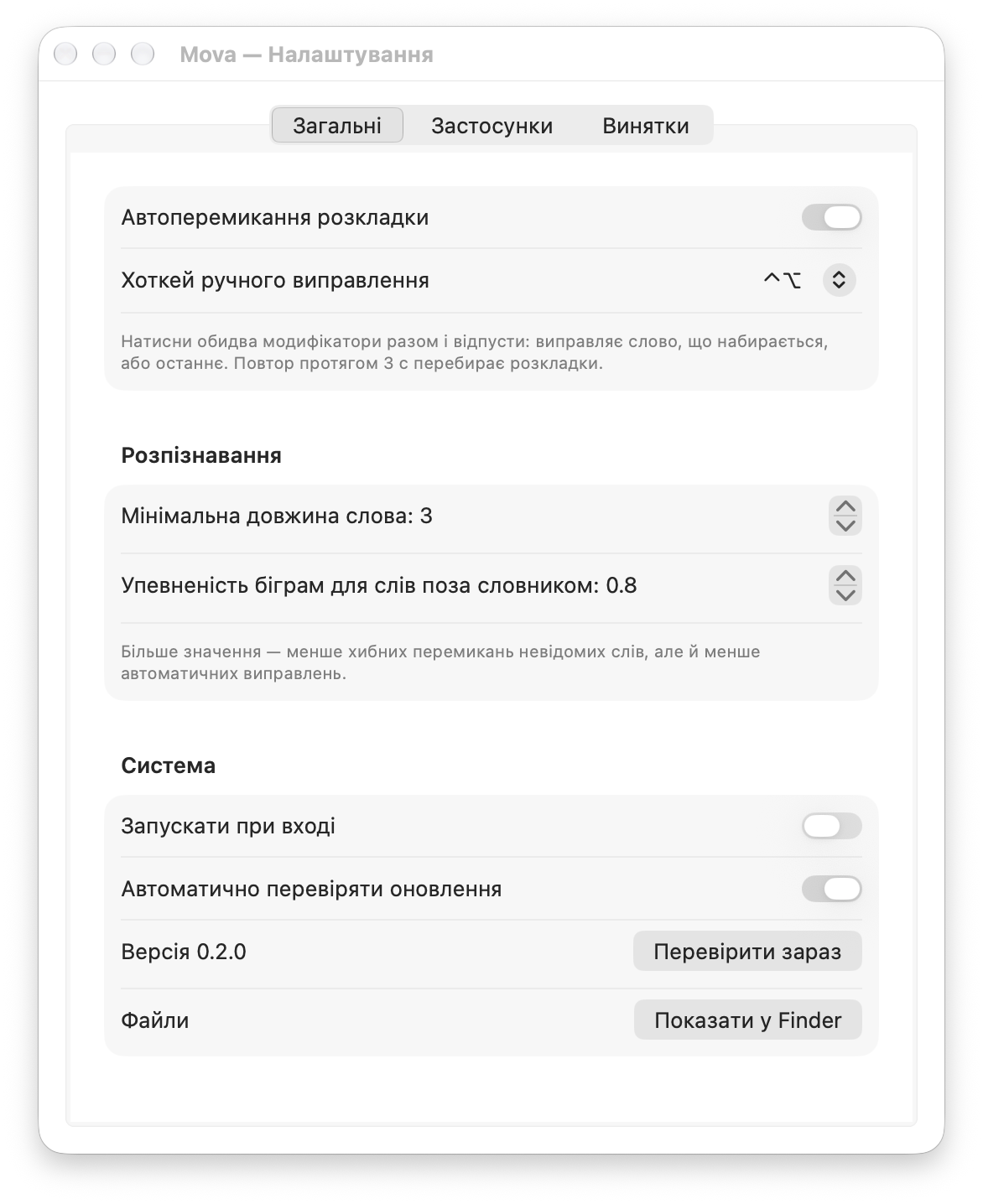
Press ⌃ and ⌥ together: Mova fixes the word you are typing, or the last one. Any length.
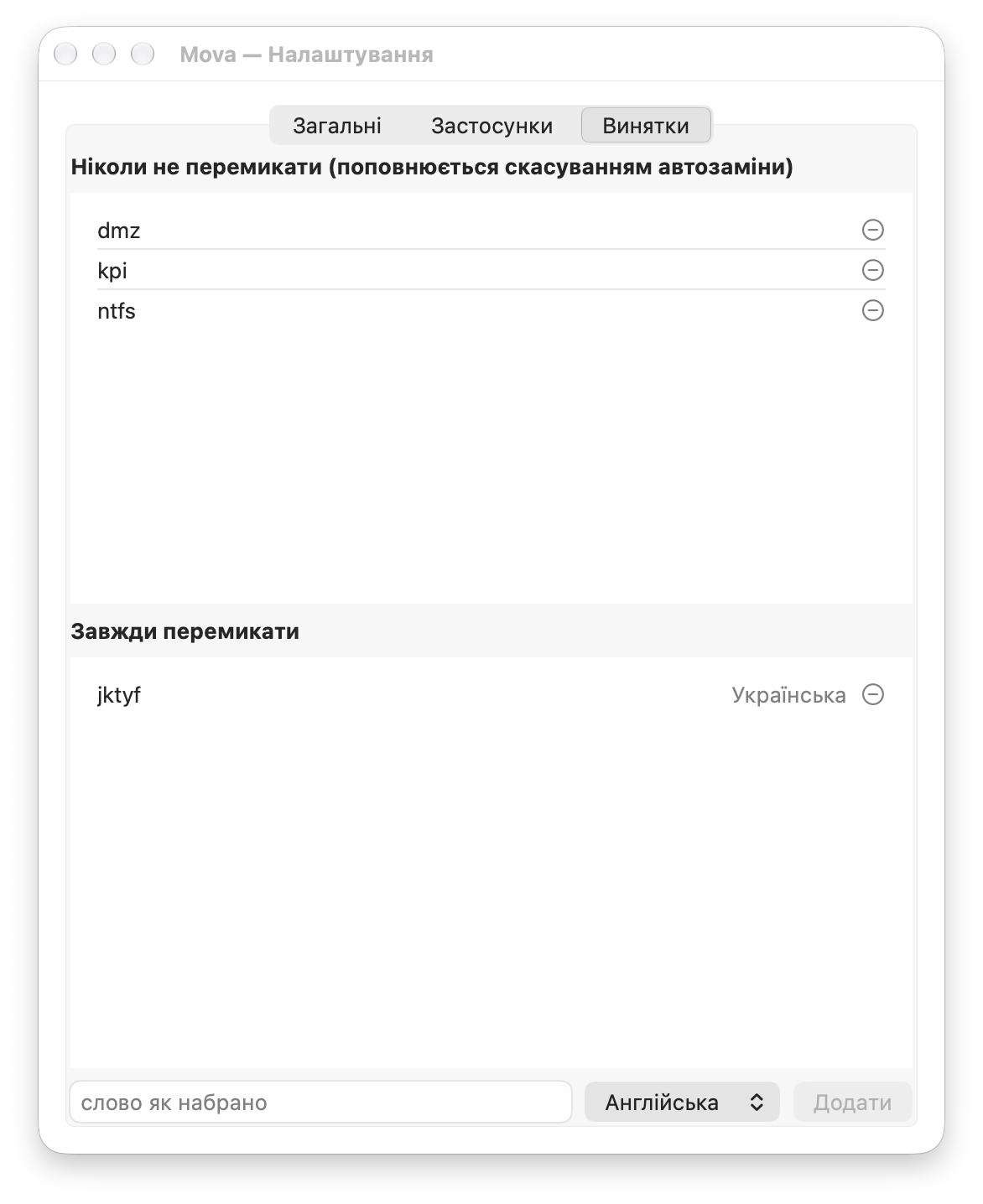
The same hotkey within 3 seconds puts the word back and remembers it, so Mova leaves it alone from then on.
The macOS dictionary, rules for impossible letter combinations and letter-pair statistics for names and jargon. Doubtful words stay as they are.
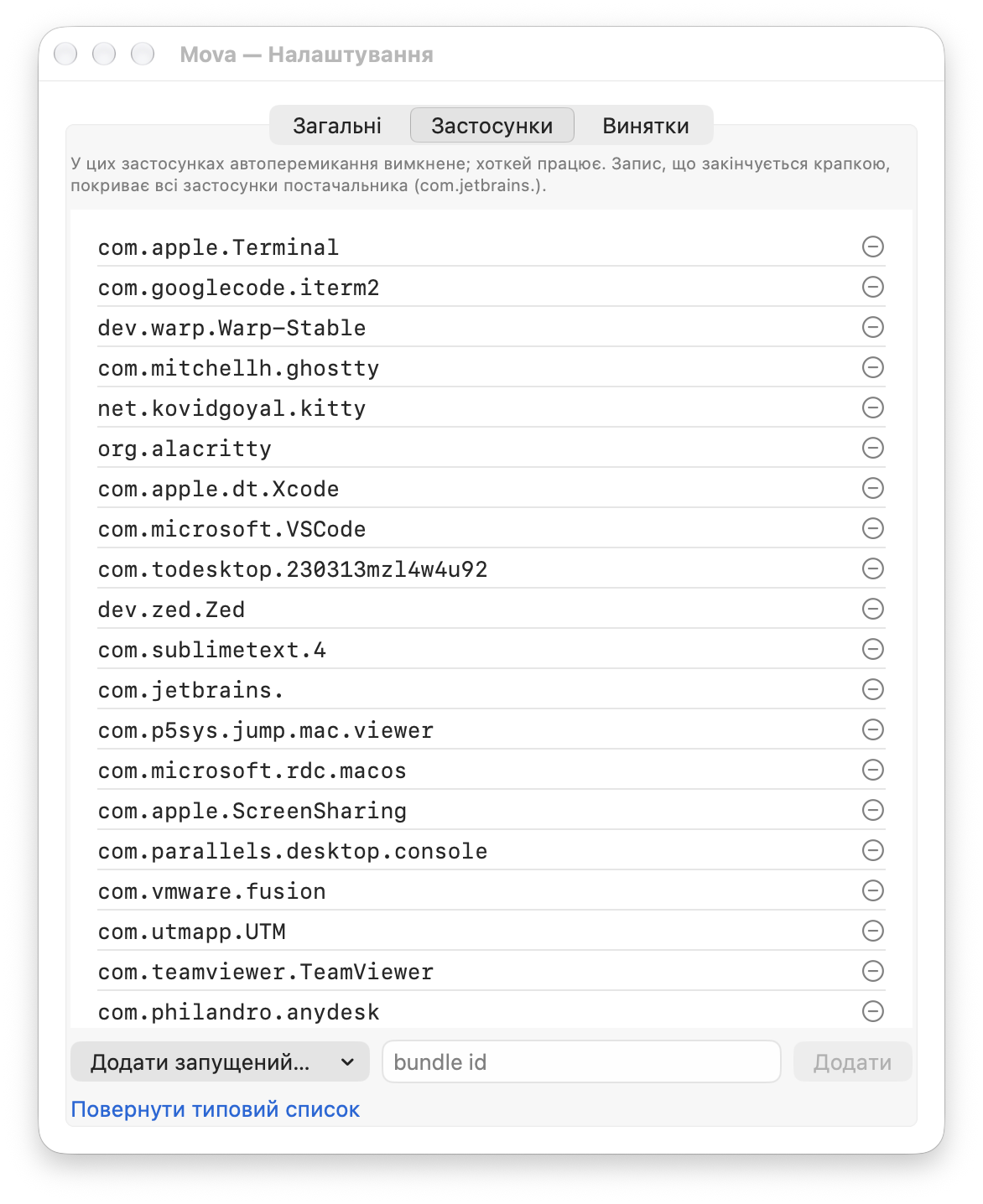
Terminals, code editors, remote desktops and virtual machines are excluded by default. Password fields are never touched.
Checks for a new version once a day and shows it in the menu. The update window opens only when you click.
Three steps that take a fraction of a second after every word.
Mova sees the keys you press and keeps only the current word in memory.
Mova reads the same keys in the English and the Ukrainian layout and checks both readings.
Mova erases the word, switches the layout and types the right reading. You carry on in the right language.
The hotkey for manual fixes and undo. Pick another in settings: ⌥⇧, ⌃⇧, ⌘⌥ or ⌃⌘.
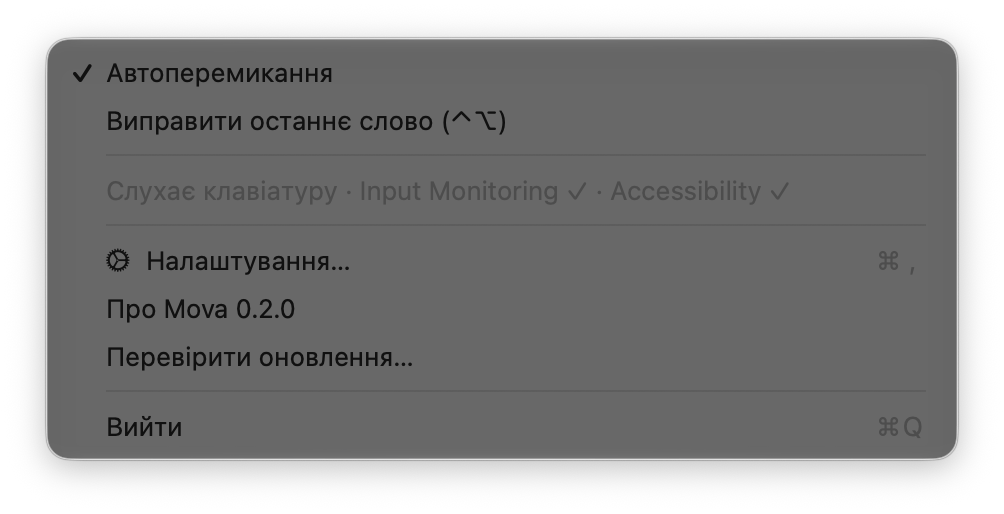
A menu-bar icon, three settings tabs, and nothing you have to configure before you start. The app itself speaks Ukrainian.
Mova sees your keyboard, so privacy is not a detail.
Mova needs two macOS permissions; without them it sees nothing and changes nothing.
Open the Mova menu: the status line should say it is listening, with two permission ticks. Also check that auto-switching is on and the app is not in the exclusion list.
Press ⌃⌥ right away: the word comes back and won't be fixed automatically again.
Press ⌃⌥ to fix it by hand. If the word comes up often, add it to the always-switch list.
English and Ukrainian layouts enabled in macOS, for example U.S. and Ukrainian-PC. Mova leaves other layouts alone.
Not automatically: ordinary text there often looks like a typo. The hotkey works everywhere, and the exclusion list is yours to edit.
Quit it from the menu and move Mova from Applications to the Trash. Settings live in ~/Library/Application Support/Mova/.
One download, two permissions, and the layout stops breaking your train of thought.
Download for MacmacOS 15 Sequoia or later · version 0.3.0 · signed and notarized by Apple